Add this index in DeepSeek Harness
Copy the URL, then follow the four steps to add it on the Discover tab. Once added, the index appears as DSH-plugin and lists this site's plugins by category.
How to add it
- 01
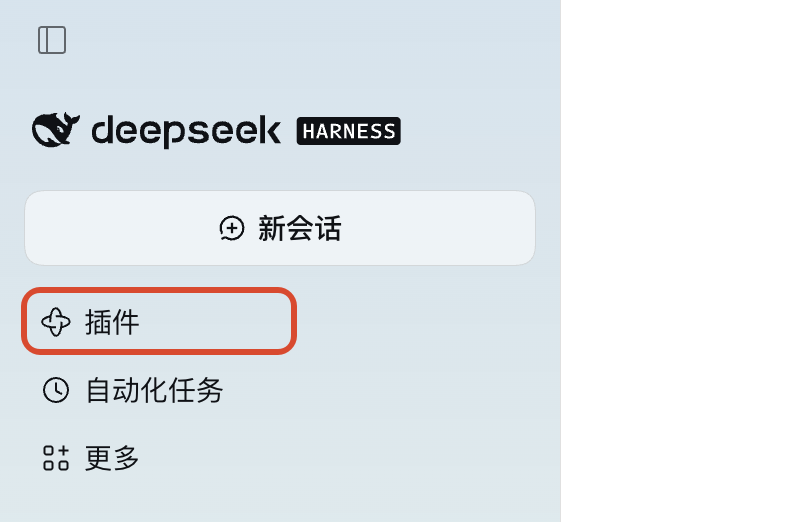
Open Plugins
In DeepSeek Harness, click Plugins at the top left.
- 02
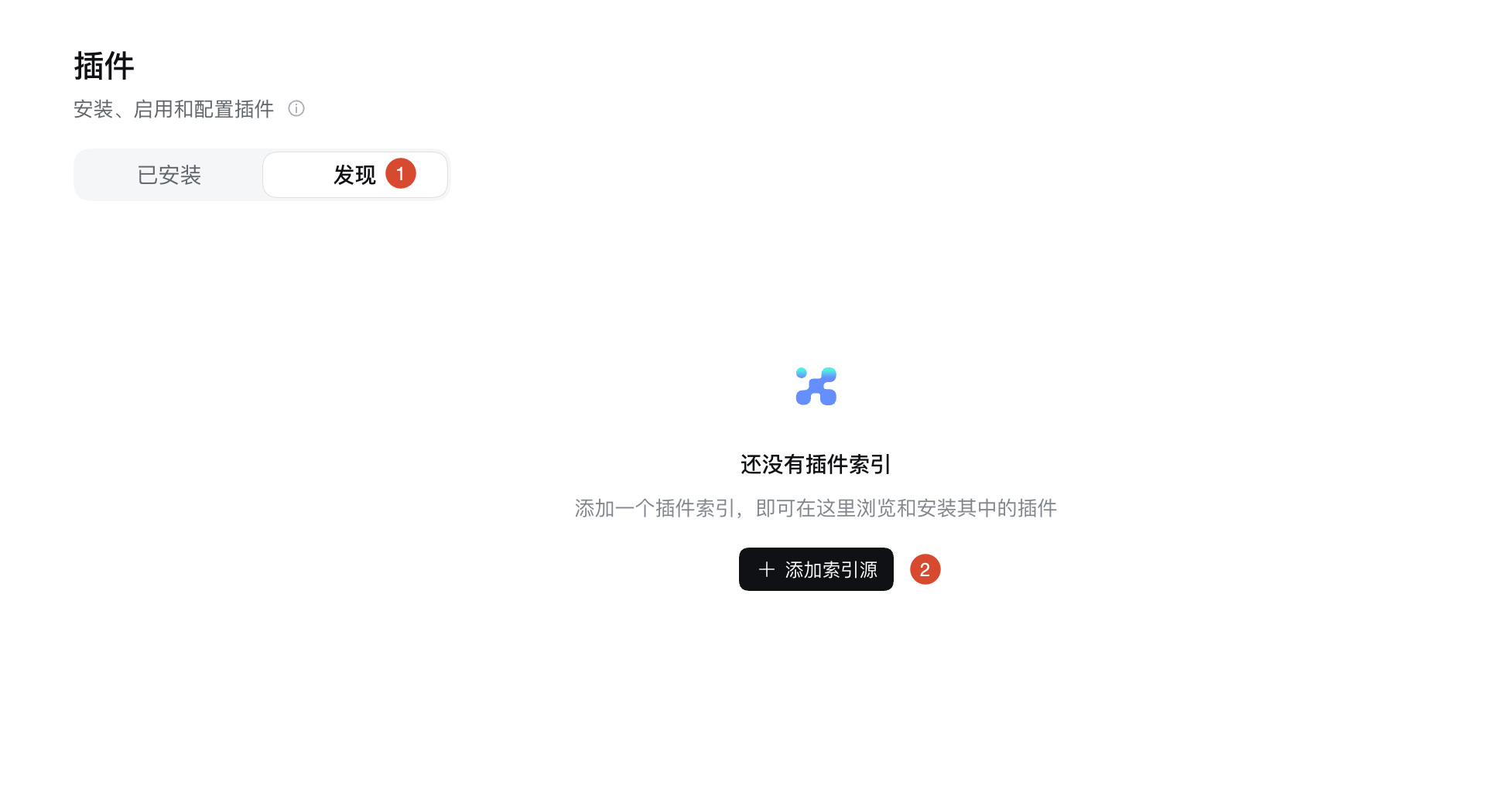
Switch to Discover
At the top of the Plugins page, switch from Installed to Discover.
- 03
Add an index source
Click Add index source. The Index source dialog opens.
- 04
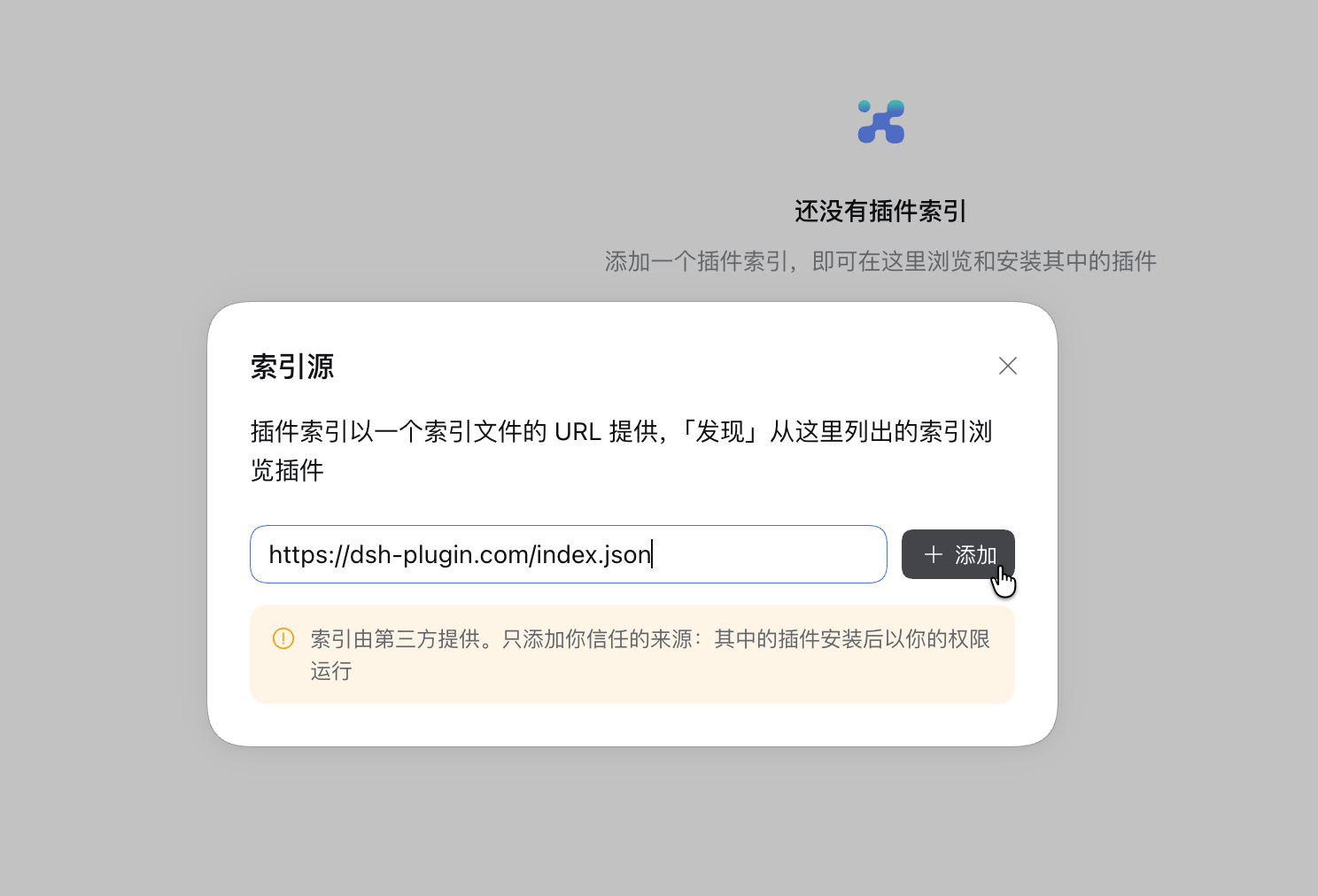
Paste and add
Paste the URL you just copied and click Add. The URL is https://dsh-plugin.com/index.json.
This site provides the index. A listing means the plugin passed a structural check, not a security review. Add only sources you trust: an installed plugin runs with your permissions, and DeepSeek Harness asks you to confirm every install.