DeepSeek Harness: Desktop Startup Crash After an Upgrade
After upgrading the DeepSeek Harness desktop client from 0.2.2-rc.2 to 0.2.2-rc.3, the app crashed on launch with only one line in the logs: startup failed: 2 required plugins did not activate. The cause was not in the user's configuration. The profile's plugins were still pinned at rc.2 while the app had moved to rc.3, and the loader's version-compatibility check silently disabled those rows. This is the full record: how the failure was narrowed down layer by layer, and how an isolated environment finally made the loader state the real reason.
Symptom: a crash loop with nothing on screen
After the upgrade, the window appeared, vanished a few seconds later, reopened automatically, and vanished again. The UI showed no error at all. The only clue was in the log directory:
~/Library/Logs/DeepSeek Harness/
Every few minutes it gained a new pair of files, *-host.log and *-web-boot.log, with timestamps repeating in batches. That pattern is itself information: this is not an occasional crash, it is a restart loop. The shell process keeps relaunching the host, and the host keeps failing in the same place.
The relevant locations on macOS (the user name in paths is a placeholder here):
config root   ~/.dsh
profile dir   ~/.dsh/profiles/<profile-name>/
app bundle    /Applications/DeepSeek Harness.app
logs          ~/Library/Logs/DeepSeek Harness/
The most recent *-host.log begins with the entire error:
--- error ---
DesktopHostFatalError: dsh: startup failed: 2 required plugins did not activate
It is followed by something far more useful: nineteen plugins waiting for a service, two of them marked required.
Plugins waiting for services (19):
Plugin                           Missing services
tool-executor-native (required)  tools
agent-loop (required)            llm, tools
session-title-llm                llm
llm-deepseek                     llm
mcp-manager                      tools
...
Later in the same file there is a machine-readable diagnostic section with much more detail than the header:
--- missing services ---
{"consumer":"include:tool-executor-native","service":"tools","providers":[]}
{"consumer":"include:agent-loop","service":"llm","providers":[]}

--- plugins (inactive first) ---
{"id":"include:tools","module":"@deepseek-ai/dsh-tools","version":"0.2.2-rc.2","state":"disabled"}
{"id":"include:llm","module":"@deepseek-ai/dsh-llm","version":"0.2.2-rc.2","state":"disabled"}
{"id":"include:session","module":"@deepseek-ai/dsh-session","version":"0.2.2-rc.3","state":"active"}
Two things stand out:
providers: []means the services were not failing to register; they had no provider at all. Nothing was supplyingllmortools.- Among the rows marked
disabled, the ones reporting0.2.2-rc.2are listed, while rc.3 rows areactive.
Do not conclude yet. As will become clear, a batch of rc.3 rows is also marked disabled and those are perfectly normal. Having two completely different kinds of disabled in one log is the single biggest distraction in this investigation.
Approach: split a failed startup into five layers
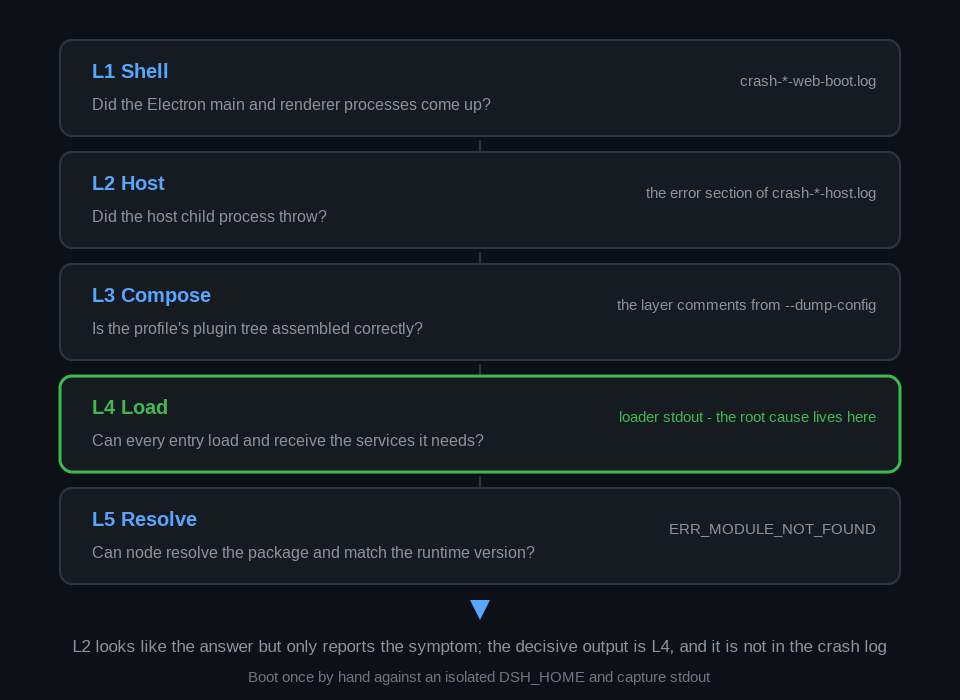
When a plugin-based Electron client fails to start, the failure is almost always in one of five layers. Once the layers are named, "which file should I read" stops being a guess.
L1 Shell    Did the Electron main/renderer process come up?     -> crash-*-web-boot.log
L2 Host     Did the host child process throw?                    -> crash-*-host.log, error section
L3 Compose  Is the profile's plugin tree assembled correctly?    -> cordis.yml / cordis.patch.yml / --dump-config
L4 Load     Can each row load, and can it get its services?      -> loader stdout (not in the crash log!)
L5 Resolve  Can node resolve the package, version match?         -> ERR_MODULE_NOT_FOUND / compatibility gate
Most people stop at L2, because host.log looks like it already answered the question. In this case the answer was in L4 — and L4's output is not in the crash log at all.
First: rule out configuration
L2 says the plugins did not activate. The natural assumption is that someone disabled them. So go and look.
The profile directory contains cordis.yml, which looks like this:
  # dsh profile root — an empty entry list. The tree is composed as patches:
  # each bundle in package.json's dsh.profile.bundles, then cordis.patch.yml, then any
  # --patch overlays. Edit cordis.patch.yml, not this file.
[]
That comment explains the composition model, and it is the key to the whole investigation. The plugin tree is not written in one file; it is layered:
cordis.yml (empty array, just a root)
<- bundle: @deepseek-ai/dsh-base     patch
<- bundle: @deepseek-ai/dsh-web-app  patch
<- profile cordis.patch.yml          (user layer)
<- ~/.dsh/cordis.patch.yml           (home layer, applies across profiles)
<- --patch command-line overlay
The official dsh-app-boot documentation describes this ordering: the patch layer applies after all bundle layers, with per-profile files first and the home-level file afterwards, so the home layer takes precedence.
So search every layer:
grep -rn 'disabled' ~/.dsh --include='*.yml' --include='*.yaml' --include='*.json' -g '!node_modules'
The result: there is not a single disabled in the configuration, only occurrences in hook source and session cache.
That is the first contradiction: the log says disabled, but nothing on disk disables it.
Look at the composed result with --dump-config
If static files do not show it, inspect the composed tree. The app ships a dsh CLI but bundles it inside app.asar. Use Electron's ELECTRON_RUN_AS_NODE=1 to run the Electron binary as node:
cd '/Applications/DeepSeek Harness.app/Contents/Resources'
ELECTRON_RUN_AS_NODE=1 '/Applications/DeepSeek Harness.app/Contents/MacOS/DeepSeek Harness' \
"$PWD/app.asar/dsh/node_modules/@deepseek-ai/dsh/lib/bin.js" --help
Using it against the desktop profile directly is blocked:
error: profile "desktop" is managed exclusively by the Electron application
That is deliberate: a profile owned by Electron is not exposed to the CLI. For read-only investigation you can work around it with a symlinked alias (and remove it afterwards):
ln -sfn desktop ~/.dsh/profiles/desktop-dbg
... bin.js --profile desktop-dbg --dump-config > /tmp/tree.yml
The useful part is that --dump-config annotates which layer each row came from:
  # == @deepseek-ai/dsh-base
- id: llm
  name: '@deepseek-ai/dsh-llm'          # no disabled in the base bundle

  # == @deepseek-ai/dsh-base, patched by @deepseek-ai/dsh-web-app
- id: tool-bash
  disabled: true                        # disabled on purpose by web-app: normal
Same contradiction: in the composed tree, llm and tools are not disabled either.
Run a hypothesis-falsifying experiment
Nothing in the static configuration, so add an explicit override and see whether it helps. Patch layers apply in order, and the last one wins:
- id: llm
disabled: false
- id: tools
disabled: false
--dump-config confirms the override took effect (disabled: false present, attributed to patched by .../cordis.patch.yml), yet after a restart:
DesktopHostFatalError: dsh: startup failed: 2 required plugins did not activate
Plugins waiting for services (19): ... (identical)
The hypothesis is falsified. The step looks like a failure, but it moved the search from the configuration layer into runtime: the disabling happens at a later stage, after composition. This is the turning point of the investigation.
The decisive step: make the loader talk
Here is the crux: the app's crash log captures the thrown exception but not the loader's log output. Those dsh: ... messages go to the host process's stdout/stderr and die with the process.
So the real move is: start the boot yourself, without touching the real configuration, and capture stdout.
Build an isolated DSH_HOME:
rm -rf /tmp/dshhome && mkdir -p /tmp/dshhome/profiles/desktop-dbg
cp ~/.dsh/profiles/<profile>/{cordis.yml,package.json,pnpm-workspace.yaml,cordis.patch.yml} \
 /tmp/dshhome/profiles/desktop-dbg/
ln -s ~/.dsh/profiles/<profile>/node_modules /tmp/dshhome/profiles/desktop-dbg/node_modules
cp ~/.dsh/cordis.patch.yml /tmp/dshhome/cordis.patch.yml   # do not forget the home layer
Then launch the same way, redirecting output:
cd '/Applications/DeepSeek Harness.app/Contents/Resources'
DSH_HOME=/tmp/dshhome ELECTRON_RUN_AS_NODE=1 \
'/Applications/DeepSeek Harness.app/Contents/MacOS/DeepSeek Harness' \
"$PWD/app.asar/dsh/node_modules/@deepseek-ai/dsh/lib/bin.js" --profile desktop-dbg \
> /tmp/boot.log 2>&1 &
The root cause appeared on the first try. The top of /tmp/boot.log (verbatim, line breaks adjusted):
dsh: disabling profile plugin row "llm": Plugin @deepseek-ai/dsh-llm@0.2.2-rc.2 is incompatible
   with dsh 0.2.2-rc.3: requirements {"@deepseek-ai/dsh-error":"0.2.2-rc.2"}.
   Running it may cause crashes or data loss. Update the plugin or install a plugin version
   compatible with this dsh runtime.
   Exact-version exemption: not active.

dsh: disabling profile plugin row "tools": Plugin @deepseek-ai/dsh-tools@0.2.2-rc.2 is incompatible
   with dsh 0.2.2-rc.3: requirements {"@deepseek-ai/dsh-agent":"0.2.2-rc.2",
   "@deepseek-ai/dsh-llm":"0.2.2-rc.2","@deepseek-ai/dsh-scope":"0.2.2-rc.2", ...}

dsh: startup failed: 2 required plugins did not activate
Root cause: a version-compatibility gate
Before importing a plugin, the loader checks its declared DSH version requirements. The official documentation states:
Before importing plugins into a profile, DSH compares the declared DSH version requirements against the single runtime version returned by
getDshRuntimeVersion(). When the manifest declaresengines.dsh, only that range decides, andpeerDependenciesis ignored. Otherwise every range for@deepseek-ai/dshand@deepseek-ai/dsh-*inpeerDependenciesmust match ... Prerelease versions participate in range matching.
That last clause is the key: rc versions do participate, so 0.2.2-rc.2 and 0.2.2-rc.3 are incompatible even though they differ only by a prerelease number.
The same document describes what happens on rejection:
Rejected plugins never import their modules ... a rejected ordinary row becomes a detached
disabled: truerow.
Now the chain closes:
app upgraded to rc.3, profile dependencies still rc.2
-> compat gate rejects llm / tools
-> runtime marks them disabled (written into the entry, not into your YAML)
-> the llm / tools services have no provider
-> agent-loop and tool-executor-native stay pending forever
-> boot audit finds required plugins inactive
-> throws DesktopHostFatalError
-> shell restarts -> infinite loop
Why doesn't disabled: false help? Because of the execution order:
1. Compose patch layers (entry.options now set; llm/tools not disabled)
2. Resolve each entry's module -> read package.json version and requirements
3. [compat gate] incompatible -> runtime sets entry.options.disabled = true
4. Start plugins, register services
5. Boot audit: are required plugins active?
A config override only affects step 1; the gate runs at step 3. Runtime writes always beat static configuration.
This generalizes to any plugin system: "disabled even though nothing in my config disables it" usually means a runtime policy (compatibility, safety, degradation) intervened, and the place to look is stdout, not more YAML.
Why some rc.3 rows are also disabled
The distraction mentioned earlier: tool-bash, tool-fs, tool-web, plan-mode and similar rc.3 rows are also disabled, but they are not faults. The @deepseek-ai/dsh-web-app bundle turns them off deliberately (--dump-config annotates them as patched by @deepseek-ai/dsh-web-app plus disabled: true). The desktop client assembles tools through session-level agent presets and does not mount those CLI rows.
The lesson: one log can contain both intentional disabling and fault disabling; check per row who disabled it, never cluster by count or keyword.
Safety boundary: why not just use the exemption switch
The warning does offer an escape hatch: dsh plugin allow-version, or an exact-version exemption in the plugin manager. The official documentation confirms it exists — exemptions live in the profile's own compatibility.json, mapping an exact package-name@version to an exact list of DSH runtime versions.
This case should not use it, for three reasons:
- The gate exists to prevent exactly this. The documentation is explicit that these plugins share types and service contracts with the runtime, and running mixed versions can write corrupted session data. Exempting means accepting "crashes or data loss" on purpose.
- An exemption hides the symptom; it does not fix anything. You would still be running rc.2 plugin code against an rc.3 runtime, just with the check switched off. The next internal interface change would surface as something far harder to trace.
- Upgrading is the only real fix. Once versions align, the check passes on its own and no exemption is needed.
Also worth noting: the documentation explicitly says these checks are not a sandbox against malicious package code. They answer "is the version right", never "is the code safe".
Fix: remove the runtime packages that should not be pinned
Pitfall one: never pin runtime packages the app already ships
The intuitive fix — bump every @deepseek-ai/* from rc.2 to rc.3 and reinstall — made the compatibility warning disappear, but produced a new error:
Failed plugins (3):
llm
  Package: @deepseek-ai/dsh-llm
  failed to import: Error [ERR_MODULE_NOT_FOUND]: Cannot find package '@deepseek-ai/dsh-error'
    imported from .../node_modules/@deepseek-ai/dsh-llm/lib/index.js
Check the manifest:
node -e 'console.log(require("./node_modules/@deepseek-ai/dsh-llm/package.json").dependencies)'
  # dsh-error is not in there
dsh-llm@rc.3 imports @deepseek-ai/dsh-error but never declares it as a dependency — because the runtime provides it. And once such a package is pinned into the profile's node_modules, Node resolves only inside the profile and can never see the copy inside app.asar.
The correct mental model:
A profile's
package.jsonshould only install third-party or self-built plugins that the app does not ship. Pinning an app-provided runtime package creates a "shadow copy" that fails the version gate and cannot resolve its sibling packages inside the app.
The documentation agrees in spirit: the dsh launcher computes an immutable runtime resolution from the installed dependency graph and the ordered bundle dependency graph before mounting profile entries, and installs it into Node's ESM and CommonJS resolvers. Runtime packages are supposed to be resolved by the app, not by your profile.
So the change is to remove the pins on eight app-provided runtime packages:
@deepseek-ai/dsh-llm          @deepseek-ai/dsh-tools
@deepseek-ai/dsh-attachment   @deepseek-ai/dsh-http-proxy
@deepseek-ai/dsh-mcp-client   @deepseek-ai/dsh-scope
@deepseek-ai/dsh-subprocess   @deepseek-ai/dsh-timeout
Kept and bumped to rc.3: plugins the app does not ship — subagent providers, bridges, and local link packages.
Pitfall two: match the app's pnpm version
Easy to miss: the pnpm that installs dependencies must match the app's own pnpm, or it writes a lockfile format the app cannot read.
pnpm -v      # system version, e.g. 12.x - do not use
node -v      # system node may be older than the 22.13 that pnpm 11.28.5 requires
The fix is to install pnpm into a temporary prefix and run it with the app's bundled Electron (which carries node 24.x):
npm install --prefix /tmp/pnpm11 pnpm@11.28.5 --no-audit --no-fund

cd ~/.dsh/profiles/<profile>
CI=true ELECTRON_RUN_AS_NODE=1 \
'/Applications/DeepSeek Harness.app/Contents/MacOS/DeepSeek Harness' \
/tmp/pnpm11/node_modules/pnpm/bin/pnpm.cjs install --no-frozen-lockfile
A cleaner equivalent is to use the app's bundled pnpm directly (under the runtime's dependencies/pnpm/bin/pnpm.mjs), invoked the same way with ELECTRON_RUN_AS_NODE=1.
The install runs a supply-chain policy check:
? Verifying lockfile against supply-chain policies (193 entries)...
✓ Lockfile passes supply-chain policies (193 entries in 1.4s)
Done in 24s using pnpm v11.28.5
Two details worth remembering:
CI=trueis required, otherwise pnpm refuses to cleannode_moduleswithout a TTY (ERR_PNPM_ABORTED_REMOVE_MODULES_DIR_NO_TTY).- If the profile uses a supply-chain allowlist such as
minimumReleaseAgeExclude, the new rc versions must be added or the policy will block them.
Restart
A client stuck in a crash loop may ignore osascript quit and SIGTERM (blocked by the crash dialog). Force-kill and reopen:
pkill -9 -f 'DeepSeek Harness.app/Contents/MacOS/DeepSeek Harness'
open -a 'DeepSeek Harness'
Verification: isolate first, then the real environment
Order matters. Confirm in isolation before touching the real environment, so you are not repeatedly disturbing a client that is already crashing.
Step one: the isolated environment starts. The loader prints its service address, and neither disabling profile plugin row nor startup failed appears:
dsh web: http://127.0.0.1:<port>/?token=...
Step two: the real client restarts and stays up. The host process survives, no new crash files appear, and — this part is easy to miss but important — the running app successfully writes UI settings into the patch file again, which shows the configuration write path recovered too. It proves more than "startup no longer crashes": the whole application is working again.
Step three: check for residual warnings. A common leftover is a non-required row failing to import (for example, a self-installed subagent plugin pulling in a package that cannot resolve a sibling). That is acceptable because it does not block startup. Two options: remove the dependency if you no longer use that plugin, or accept the warning if you do.
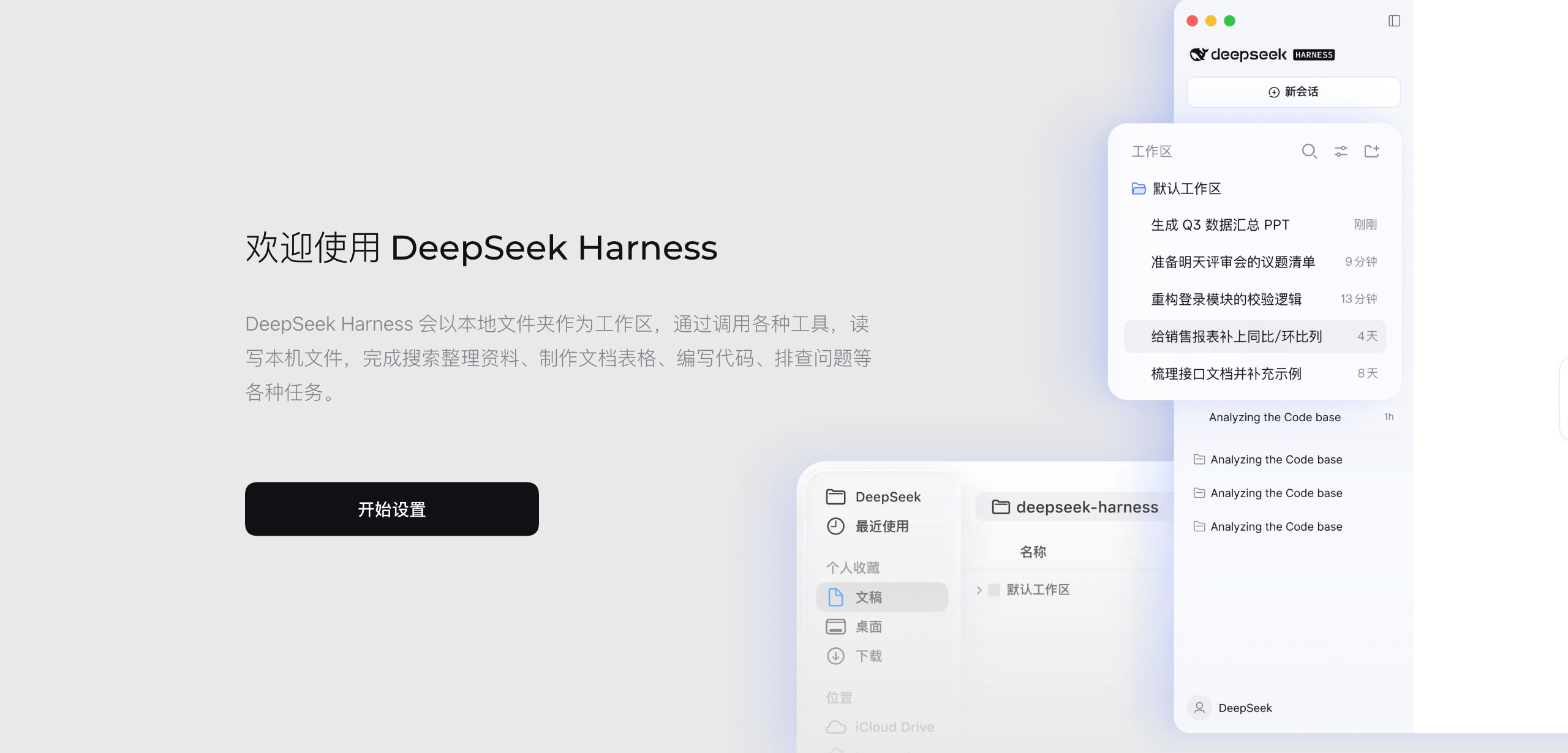
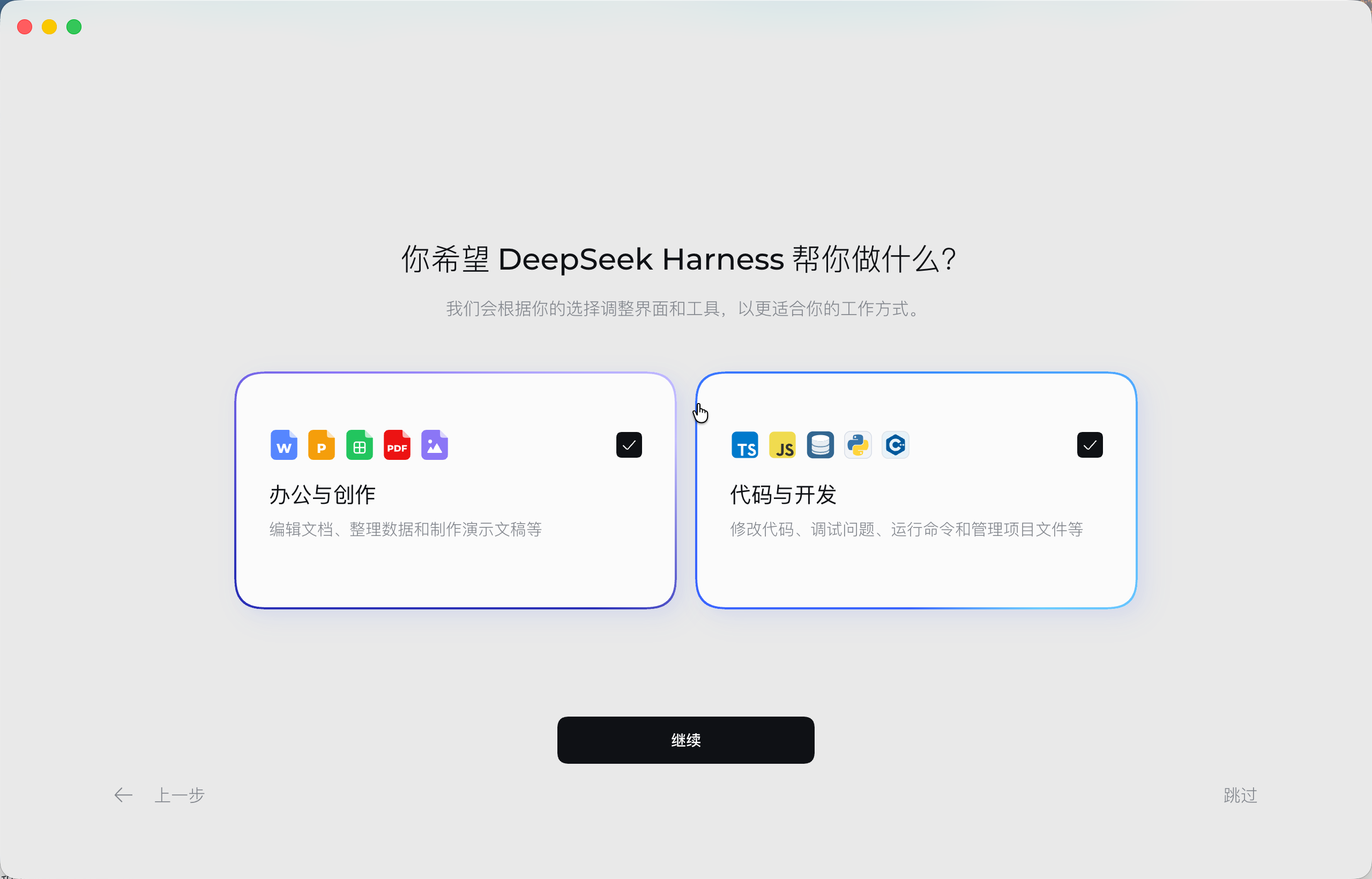
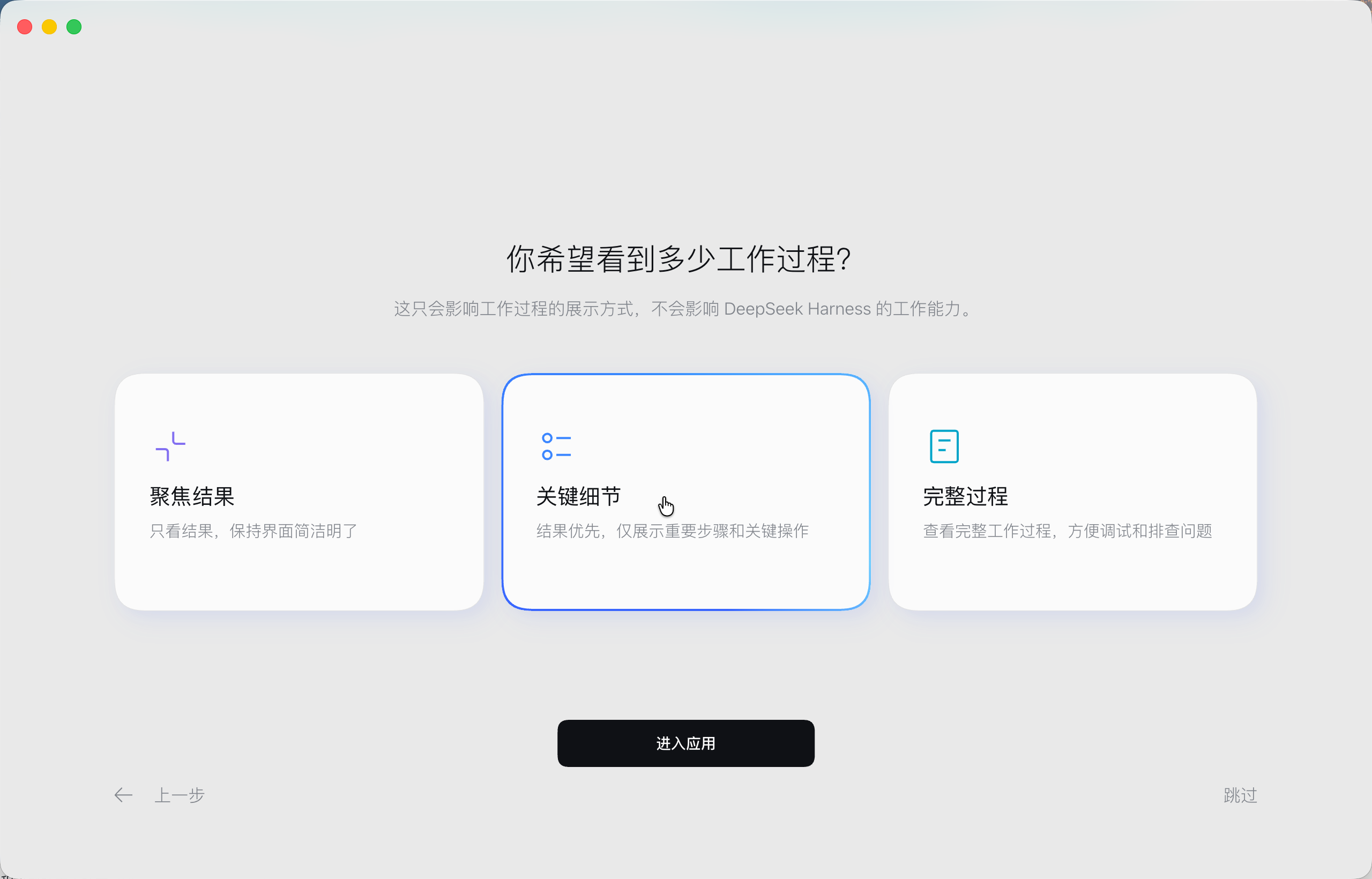
The client after the fix — the first-run onboarding completes normally:
Rolling back correctly
If you really want to go back, note one thing: rolling back only the profile accomplishes nothing.
cd ~/.dsh/profiles/<profile>
cp package.json.bak  package.json
cp pnpm-lock.yaml.bak pnpm-lock.yaml
cp cordis.patch.yml.bak cordis.patch.yml
Restoring rc.2 dependencies immediately re-triggers the gate, because the app is already rc.3. Profile and app must be the same version:
- To move the profile back to rc.2, you must also downgrade the app itself to rc.2.
- Otherwise the only correct direction is to bring the profile up to rc.3.
Pitfall checklist
- The crash log does not contain the loader's stdout. "Who disabled what" exists only in the host process's standard output; run the CLI manually with
ELECTRON_RUN_AS_NODE=1to see it. - A
disabled: falseoverride cannot defeat the version gate. Configuration applies at composition; the gate runs at load time, and the gate wins. - Two different kinds of "disabled": turned off by a bundle (normal) versus quarantined by the gate (a fault). Distinguish them with the layer annotations from
--dump-config. - Electron-owned profiles are locked to the CLI (
managed exclusively by the Electron application); a symlinked alias lets you read the tree and run an isolated boot. - Never pin app-provided runtime packages in a profile. They become shadow copies that fail the gate and cannot find sibling packages that only exist inside the app.
app.asaris readable, but mind 4-byte alignment (the header length is at offset 12, the JSON starts at offset 16, and the data area begins at16 + headerSizealigned up to 4 bytes). Without alignment, the parsed JSON starts with a few stray bytes andJSON.parsefails immediately.- Match the app's pnpm version, and note that it needs a sufficiently new node; starting a child process with the system node does not get you around it, so use the app's bundled Electron as node.
CI=trueis needed for pnpm to cleannode_moduleswithout a TTY.- Add new versions to the supply-chain allowlist, or a freshly published rc will be blocked.
- corepack may silently write a
packageManagerfield intopackage.json(it happens the first time you run the system pnpm). Remove it, or the app's bundled pnpm may behave differently. - Do not repeatedly restart the real environment during a crash loop. The app writes
cordis.patch.ymlas a whole-file overwrite, and it only holds the subset it last read successfully — writes during repeated crashes can drop locale, some UI settings and MCP server configuration. Reproduce in isolation first. - A crashing client may ignore SIGTERM (blocked by a dialog); use
pkill -9when necessary.
Where this failure sits among related ones
Startup failures caught by the boot audit fall into two main groups. Knowing the difference saves a lot of time:
| Failure surface | Log signature | Where to look |
|---|---|---|
| Module resolution / import failure | failed to import: ERR_MODULE_NOT_FOUND | The Failed plugins section of the crash log is enough |
| Missing service (provider disabled or inactive) | Plugins waiting for services + providers: [] | You must read the loader's stdout |
This case is the second kind, which is exactly why it is harder: the crash log looks like it has already answered the question, when in fact it only reported the symptom.
For completeness, the first kind has a typical cause too: an insert injected into the home-layer patch by a third-party tool pointing at a hook file that no longer exists or cannot be read. When you hit ERR_MODULE_NOT_FOUND with a path under a user hooks directory, check ~/.dsh/cordis.patch.yml for a leftover "managed by" section from some tool.
Reusable cheat sheet
  # 1. Read the crash
ls -lt ~/Library/Logs/DeepSeek\ Harness/ | head
sed -n '1,25p' ~/Library/Logs/DeepSeek\ Harness/crash-<ts>-host.log

  # 2. See the composed tree (do not use the locked name; alias it first)
ln -sfn desktop ~/.dsh/profiles/desktop-dbg
cd '/Applications/DeepSeek Harness.app/Contents/Resources'
ELECTRON_RUN_AS_NODE=1 '/Applications/DeepSeek Harness.app/Contents/MacOS/DeepSeek Harness' \
  "$PWD/app.asar/dsh/node_modules/@deepseek-ai/dsh/lib/bin.js" \
  --profile desktop-dbg --dump-config > /tmp/tree.yml

  # 3. Isolated boot to make the loader speak
mkdir -p /tmp/dh/profiles/desktop-dbg
cp ~/.dsh/profiles/<profile>/{cordis.yml,package.json,pnpm-workspace.yaml,cordis.patch.yml} \
   /tmp/dh/profiles/desktop-dbg/
ln -s ~/.dsh/profiles/<profile>/node_modules /tmp/dh/profiles/desktop-dbg/node_modules
cp ~/.dsh/cordis.patch.yml /tmp/dh/cordis.patch.yml
DSH_HOME=/tmp/dh ELECTRON_RUN_AS_NODE=1 \
  '/Applications/DeepSeek Harness.app/Contents/MacOS/DeepSeek Harness' \
  "$PWD/app.asar/dsh/node_modules/@deepseek-ai/dsh/lib/bin.js" --profile desktop-dbg 2>&1 | head -40

  # 4. Install dependencies (pnpm matched to the app)
export APPBIN='/Applications/DeepSeek Harness.app/Contents/MacOS/DeepSeek Harness'
cd ~/.dsh/profiles/<profile>
CI=true ELECTRON_RUN_AS_NODE=1 "$APPBIN" \
  /tmp/pnpm11/node_modules/pnpm/bin/pnpm.cjs install --no-frozen-lockfile

  # 5. Restart and clean up the alias
pkill -9 -f 'DeepSeek Harness.app/Contents/MacOS/DeepSeek Harness'; open -a 'DeepSeek Harness'
rm -f ~/.dsh/profiles/desktop-dbg
Official references
- dsh-app-boot: profiles, bundles and the version-compatibility check — how requirements are compared, how rejected rows become
disabled, and how runtime resolution is installed into the ESM/CJS resolvers - dsh-plugin-manager: version compatibility and exemptions — the semantics of
compatibility.json, and why an exemption requires accepting risk explicitly - web-app bundle — why the desktop client does not mount some CLI tool rows
- DeepSeek Harness releases — actual changes per release; worth a look before upgrading
Boundaries
- This is a troubleshooting record from one specific environment, not official support documentation. Versions, paths and log formats can change between releases; check the documentation for your installed version before acting.
- The version-compatibility check is not a security check. It answers "is the version right", never "is the code safe". Plugins that pass it still need your own review.
- Do not use the exemption switch to skip version alignment unless you have explicitly accepted that mixing plugin and runtime versions can cause crashes or data loss.
- Never point an isolated investigation at the real configuration directory. This run used a separate
DSH_HOMEthroughout; the real environment was touched only at the very last step. - All commands here were verified on macOS. Linux and Windows differ in paths and process management: the reasoning transfers, the commands do not.
Frequently asked questions
Why is nothing in the configuration disabled but the log says disabled?
The version compatibility gate runs at load time, after composition, and writes disabled into the entry; a runtime write always beats static configuration.
Does setting disabled: false in cordis.patch.yml fix it?
No. Patch layers are applied during composition, while the gate runs later when each entry's module is resolved, so the override has no effect.
Where does the real reason appear?
On the host process's stdout, which the app's crash log does not capture; boot once by hand against an isolated DSH_HOME to read it.
Should I just allow the incompatible version?
No. An exemption hides the symptom and keeps running the older plugin code against the newer runtime; aligning versions is the only real fix.
Why did bumping every package to the new prerelease fail to import?
App-provided runtime packages do not declare their own sibling packages, so a pinned copy inside the profile becomes a shadow copy that cannot resolve them.
Sources
Every claim in this article was checked against the sources below. Community discussions are user reports, not official behavior.
This is an independent community article, not official DeepSeek documentation. Listing a plugin in the registry is not a security review.