Which DeepSeek Harness Theme Plugins Change the Interface Most?
Themes are the easiest corner of the DeepSeek Harness ecosystem to get wrong, because "a theme" covers four different jobs. Some swap one set of colour tokens, some replace the wallpaper, a few add an opening animation and restyle whole components. Here they are split by how they actually work, with the authors' own screenshots.
What does a DeepSeek Harness theme plugin actually change?
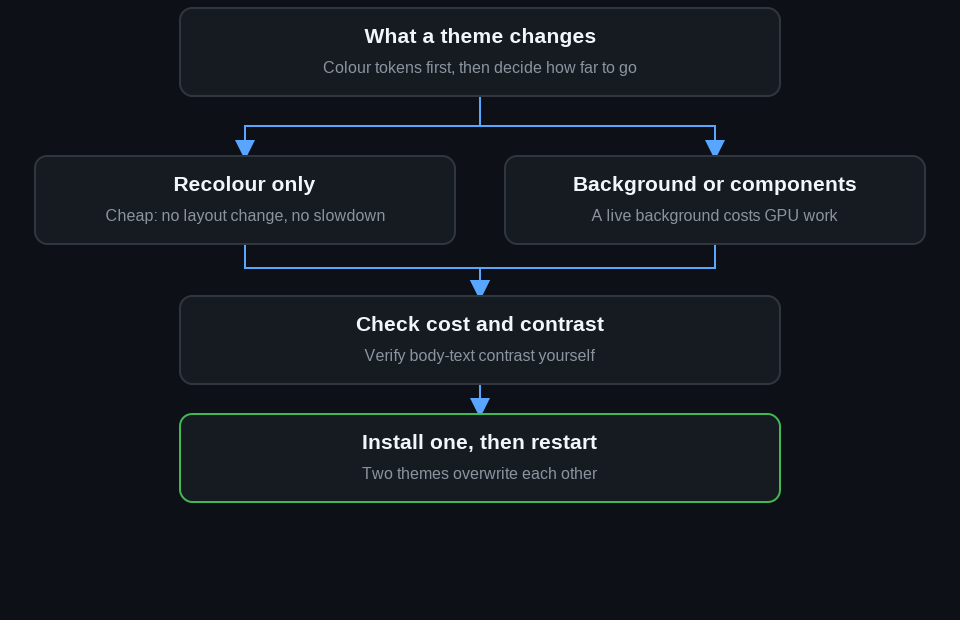
The DSH web interface draws its palette from a set of CSS colour tokens: canvas, surface, border, text, accent. The first move for almost every theme is to replace those tokens, sometimes under the --dsw-alias-* names. That step is cheap: no layout change, no slowdown.
Above that line the approaches diverge. Some add a wallpaper and light effects, some rewrite component styles outright, and some package several skins as assets you switch between in settings. The further up you go, the more complete the result looks, and the more cost and compatibility risk you take on.
What can a palette-only theme achieve?
dsh-bloom-theme: Morandi colours with a light and a dark set
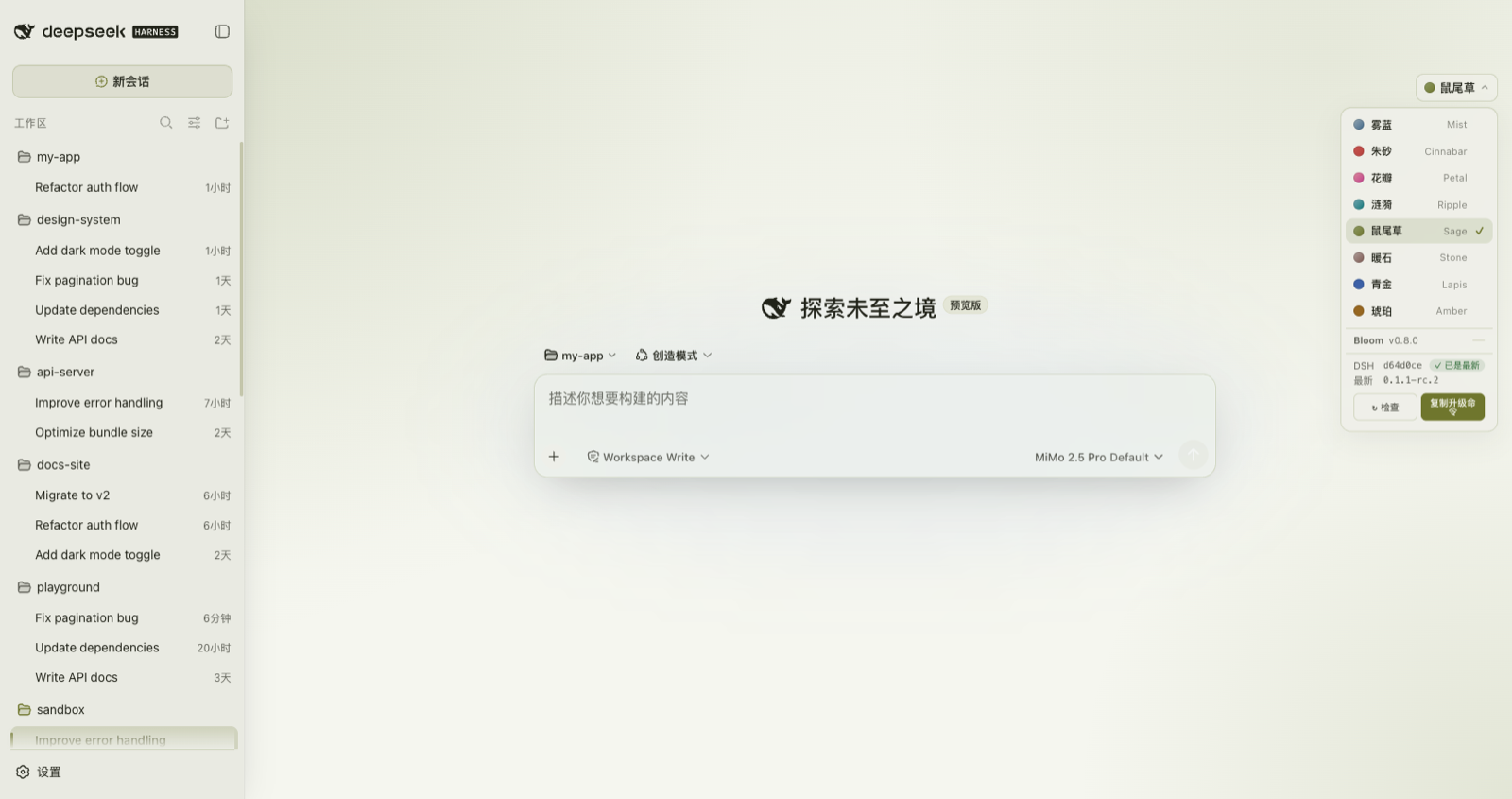
Repository webkubor/dsh-bloom-theme, about 310 stars, MIT. It defines a Morandi palette in OKLCH, with a light and a dark variant and a one-click switch in the top bar. The author states it was measured at WCAG AA contrast and ships the contrast check as a repository script.
It covers a whole colour family: Mist, Cinnabar, Petal, Ripple, Sage, Stone, Lapis, Amber, and more. The screenshot is that switch menu.
open-sea-skin: the entire background becomes a live sea
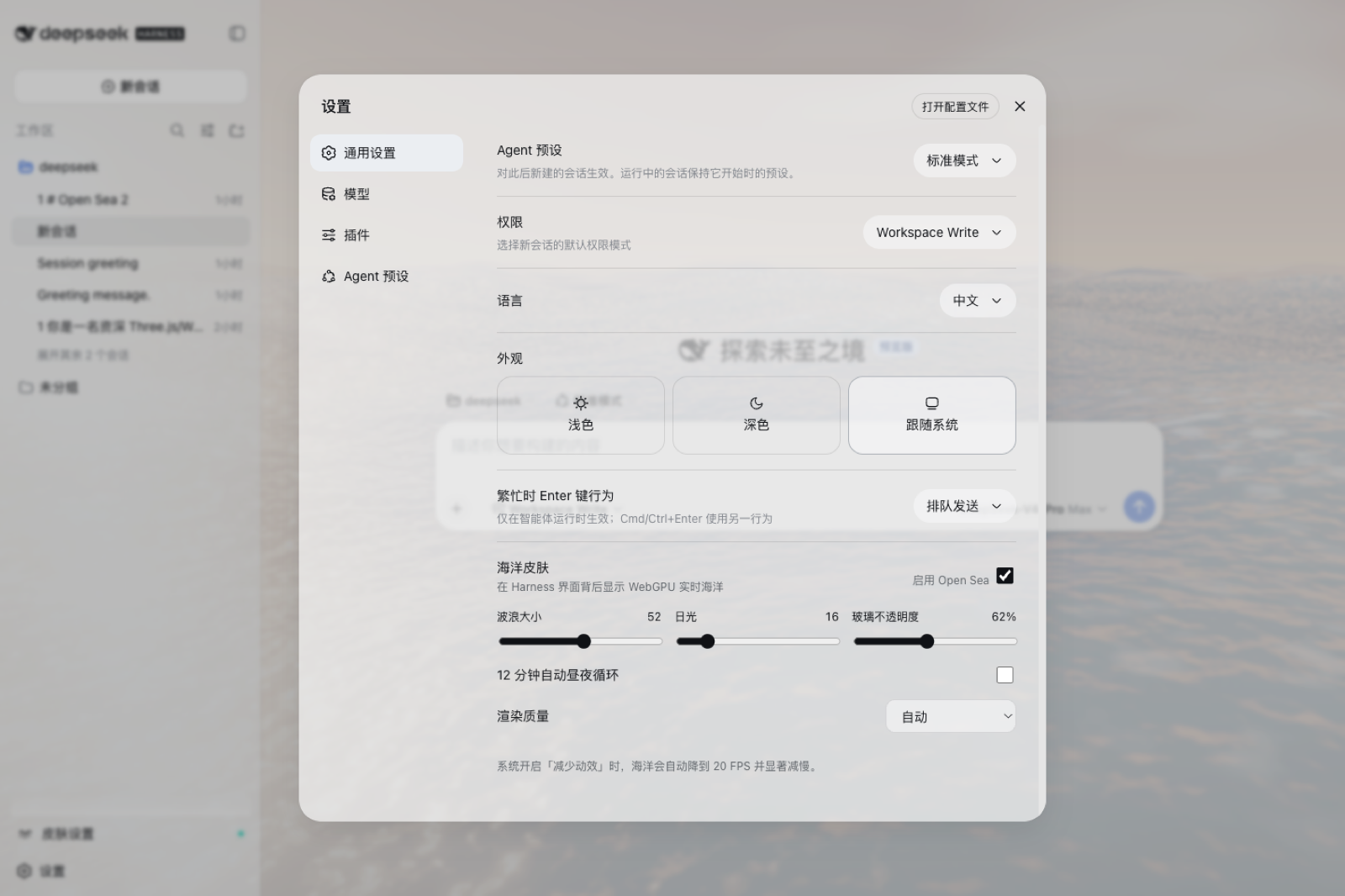
Repository d-dev0101/open-sea-skin, about 400 stars, MIT. This one goes the other way: instead of recolouring, it renders a real-time ocean behind the interface with WebGPU, with adjustable swell height and time of day, from daylight to sunset and calm water to high seas.
That is the cost described above. A dynamic background occupies the GPU, so on a thin laptop or over a remote desktop the effect degrades. It is worth trying before you commit to it.
What changes when skins become packages?
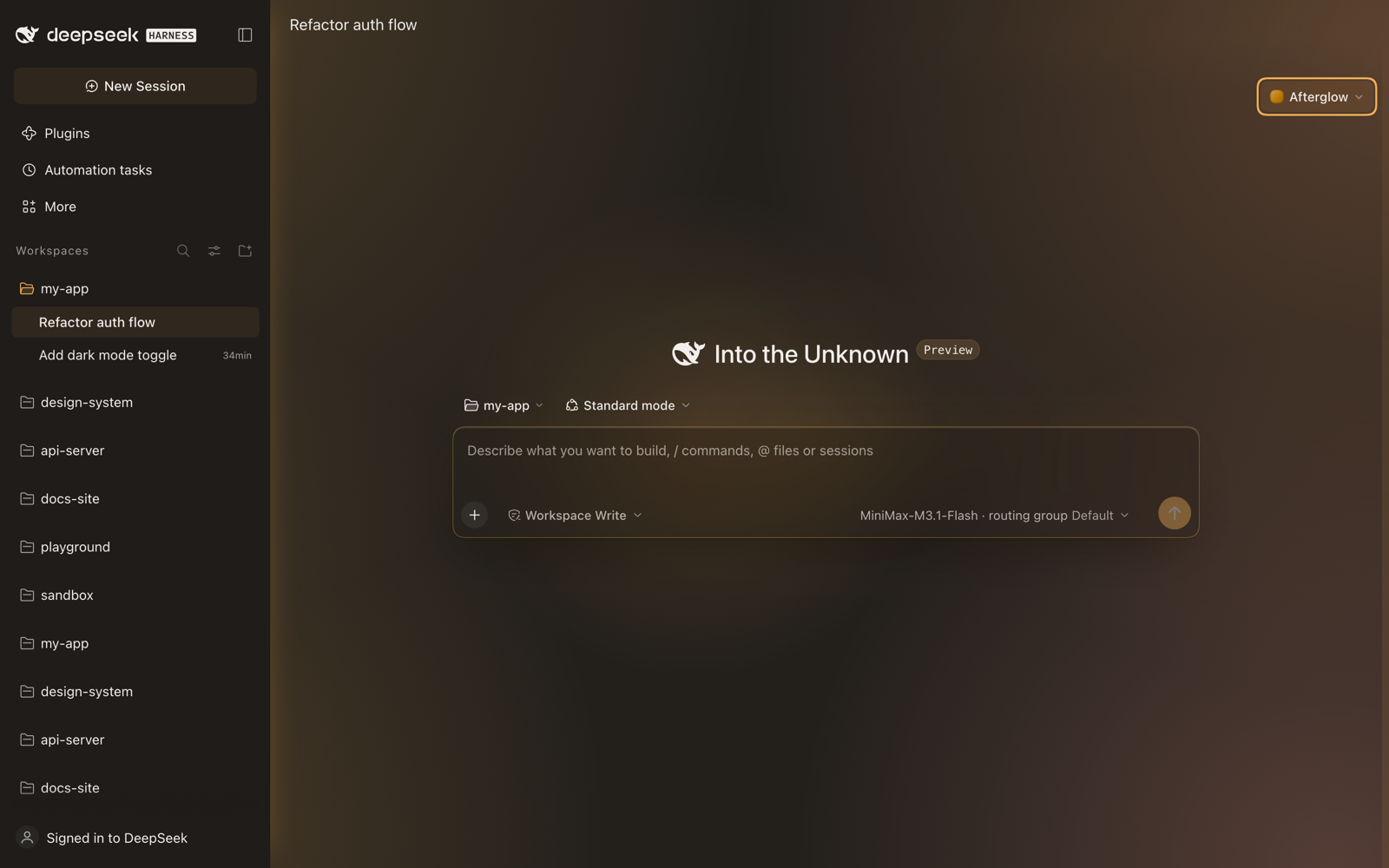
The next step up is treating skins as assets. Projects such as Small-tailqwq/dsh-deep-whale ship a skin manager: install once, then discover, switch, and remove skins from settings, instead of one plugin per skin. That repository has about 3,100 stars, but its skins are derivative artwork, and it carries a separate NOTICE describing the attribution chain and the licence conditions.
Derivative skins stay listed in the appearance zone, because you can install and look at them yourself. Redistributing the artwork is a different question, and not every skin permits it.
How should you install a theme, and what should you check?
- Install one theme at a time. Two plugins restyling the same tokens overwrite each other, and which one wins depends on load order. That is slow to debug.
- Restart DSH. Same as any plugin: the running process keeps the old one in memory.
- Look at what it renders. A colour swap is invisible in cost. Animated backgrounds, video wallpapers, and particle effects are not, and you have to try them on your own machine.
- Check the contrast yourself. A palette can look good and still leave body text hard to read. Bloom ships a WCAG AA check; not every theme does.
To see every theme and pet in one place, browse the appearance zone. To add the whole catalogue to Discover, see the plugin index.
Frequently asked questions
What is the difference between a theme and a skin in DeepSeek Harness?
A theme usually swaps colour tokens: backgrounds, text, accents. A skin can also replace the wallpaper, add an opening animation, or restyle whole components. Both are interface plugins and neither touches the agent.
Do theme plugins slow the interface down?
A palette swap does not. A skin that renders animated backgrounds or video wallpapers adds GPU work, which is noticeable on low-power machines. Check what the plugin renders before installing it on a laptop.
Can I mix two themes?
Usually not cleanly. Two plugins that both restyle the same tokens or components will fight, and which one wins depends on load order. Install one at a time.
Sources
Every claim in this article was checked against the sources below. Community discussions are user reports, not official behavior.
This is an independent community article, not official DeepSeek documentation. Listing a plugin in the registry is not a security review.