DeepSeek Harness: Have an Agent Run Bash
Ask the agent to run a specific command for a stated purpose, then review the tool call and result; Bash availability, working directory, job behavior, and file confinement depend on the deployment.
DeepSeek Harness: how do I request a command?
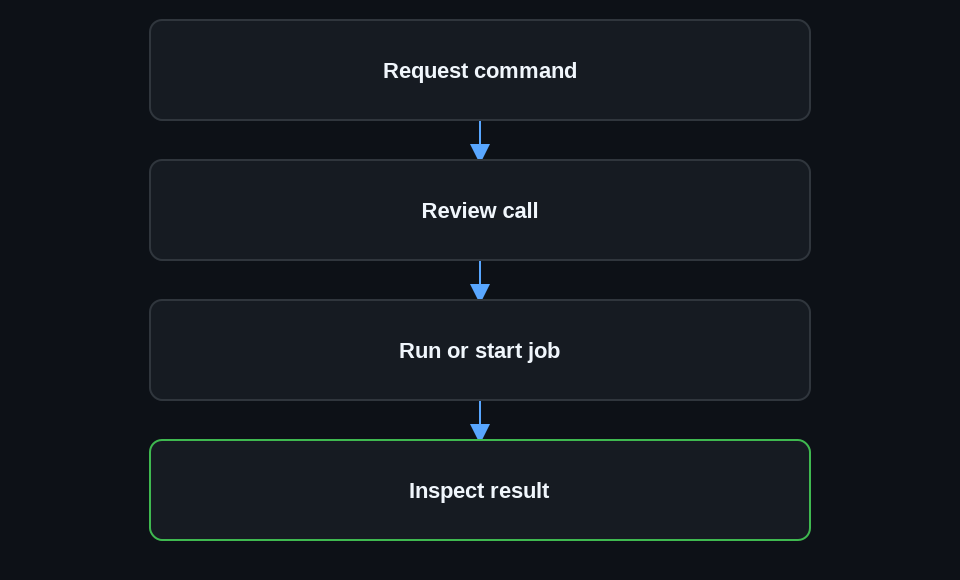
In a session with the relevant tool available, describe the desired operation and its target. For example, ask the agent to show the working tree status with git status. The tool catalog documents git status as an example for the one-shot bash tool. The model supplies a descriptive description and a command; both are required in that catalog entry. The user normally expresses the task in the conversation rather than constructing the tool call by hand.
- Select the intended workspace and state the command or outcome you want.
- Check the actual command and working directory presented by the agent, especially before an action that changes files.
- If the current policy asks for approval, read the request and decide whether its effects fit the task.
- Examine output and exit or interruption information. For long output, follow the reported full-output path if one is available.
- If a background job is returned, use the job controls available in that deployment to collect its output or stop it.
DeepSeek Harness: which Bash implementation is offered?
The catalog documents a one-shot bash from @deepseek-ai/dsh-tool-bash and a persistent bash from @deepseek-ai/dsh-tool-bash-persistent. Their names match, but their contracts differ. The one-shot implementation runs bash -c in a fresh shell for each call; use its workdir parameter rather than depending on a prior cd. The persistent implementation keeps shell state, including the directory and exported environment, across calls for that agent. Check the actual offered schema before relying on either behavior.
| One-shot field | Meaning in the catalog | Required? |
|---|---|---|
description | Short active-voice description of the command (5–10 words) | Yes |
command | Bash command to execute | Yes |
workdir | Directory for this call; relative to session workspace | No |
timeoutMs | Time in milliseconds, subject to executor defaults | No |
run_in_background | Start a background job when supported | No |
The package note says the background field is absent from a foreground-only schema when there is no composed job registry or background execution is disabled. The catalog describes the job-enabled tool moving a command to the background on timeout; do not assume this applies to every shell consumer. The shell executor reference separately documents a lower-level default expiry policy of kill. Tool behavior and the underlying service's default are different layers.
DeepSeek Harness: how do I interpret the result?
The one-shot tool returns stdout and stderr. Long output is truncated to its tail and a full-output file path is reported when available. A job-backed background call returns an ID and the catalog identifies job_output and job_kill for collection and stopping. The exact availability of these controls depends on the composed deployment.
The shell reference separates exitCode, signal, timedOut, and aborted for a foreground result. They describe different facts: a process can, for example, trap a timeout signal and exit zero. A zero exit code alone should not erase a reported timeout or interruption. A nonzero result also does not by itself prove sandbox infrastructure failed. Read the error, status, and context together.
DeepSeek Harness: how does the file sandbox affect a command?
The sandbox reference defines file-effect modes. read-only requests denial of writes; workspace-write permits workspace and backend-defined temporary writes; danger-full-access bypasses confinement. These names do not describe network isolation or process visibility. Enforcement may be partial on documented backends, including Windows ACL and older Landlock cases.
A denied file operation can be reported as [sandbox: file access denied under <mode> mode]. The catalog says not to retry such a denial another way. The shell reference describes a separately approved, strictly wider one-shot retry where supported; that request must receive approval before execution. A confined backend that cannot run can produce SANDBOX_UNAVAILABLE, rather than silently running without confinement.
Foreground and background are distinct observations
A returned job ID means there is work to follow, not that the command has completed successfully. Collect its output and check its final state before using the result as evidence. The shell service describes a process handle whose output can be read after settlement, while the tool layer adapts handles into the generic jobs runtime. An implementation without the job registry exposes a different, foreground-only schema. If a call produces a denial marker, retain the original result when discussing the problem; it distinguishes a policy denial from an ordinary command error.
If a command's output is truncated, inspect the reported full-output location when available before drawing conclusions from the visible tail. A missing full-output location is not evidence that the omitted lines can be recovered in every deployment.
DeepSeek Harness: what are the limits and safety boundaries?
Before deleting or moving anything, verify the resolved absolute target. The catalog warns that an unset shell variable expands to an empty string and illustrates guarding a variable with ${VAR:?}. Avoid using a computed path you have not checked. Inspect command output before sharing it; it may contain sensitive paths or data.
Neither an approval nor a sandbox mode guarantees safety. The selected implementation, backend and active policy matter, and a command may affect resources in ways outside the sandbox's file-effect vocabulary. Do not assume the fresh-shell and persistent-shell behaviors are interchangeable, or that a timeout always kills a process. If the required tool is not offered, consult the actual deployment instead of inventing a flag.
DeepSeek Harness: what do the terms mean?
- One-shot shell: a fresh shell process for each documented tool call.
- Persistent shell: a shell whose state persists across calls for its owner.
- Job: managed background work that can be inspected or stopped through available job tools.
- Sandbox mode: the documented file-effect policy, distinct from network isolation.
- Exit status: a process outcome that must be considered alongside timeout and interruption facts.
Frequently asked questions
Does Bash preserve state between calls?
The one-shot implementation starts a fresh shell; the persistent implementation retains state.
Does a timeout always kill the command?
No. The job-enabled tool describes moving it to the background; lower-level executor policies differ.
Does the file sandbox isolate the network?
The documented sandbox modes describe file effects, not network isolation.
Sources
Every claim in this article was checked against the sources below. Community discussions are user reports, not official behavior.
This is an independent community article, not official DeepSeek documentation. Listing a plugin in the registry is not a security review.