DeepSeek Harness: Why Is an Installed Bundle Missing?
A successful package installation and a profile's bundle list answer different questions. DeepSeek Harness adds an installed dependency to the list only when it recognizes the package's bundle declaration; diagnose the installed manifest, selected profile and source before changing configuration.
DeepSeek Harness: what is the difference between a package and a bundle?
A package can be installed as a dependency without contributing a configuration layer. A bundle is a package whose manifest declares a dsh.bundle patch. The profile manifest's dsh.profile.bundles list selects the layers to compose, in order. The packaging guide distinguishes the package author's manifest from the profile's manifest. The CLI reference says a dependency without a bundle declaration remains a plain dependency, with a one-time warning.
| Observation | Meaning | What to check next |
|---|---|---|
| Package installed, no bundle declaration | It remains a plain dependency | Whether the package is intended to be a bundle |
| Declaration present in source | The source describes a bundle | The installed artifact and package source |
| Bundle listed in another profile | That profile selects the layer | The profile actually used to start DSH |
| Bundle added while a profile runs | Disk membership changed | Restart the selected profile |
DeepSeek Harness: what declaration does the installer look for?
The packaging guide shows this package manifest fragment:
"dsh": { "bundle": { "patch": "./cordis.patch.yml" } }
The patch points to the bundle's configuration layer. The guide also includes that patch in the package's published files. A declaration in a repository alone does not prove the installed version contains the same manifest or patch. Compare the actual version and artifact with the package author's published material before assuming a loader defect.
After a successful dsh plugin operation, the CLI reconciles the profile's bundle list with installed dependencies. A dependency that gains the declaration on update can enter the stack; a removed dependency leaves it. A plain dependency is not necessarily an error: some packages are meant to be consumed by another package, not mounted as layers.
DeepSeek Harness: how do I investigate a missing entry?
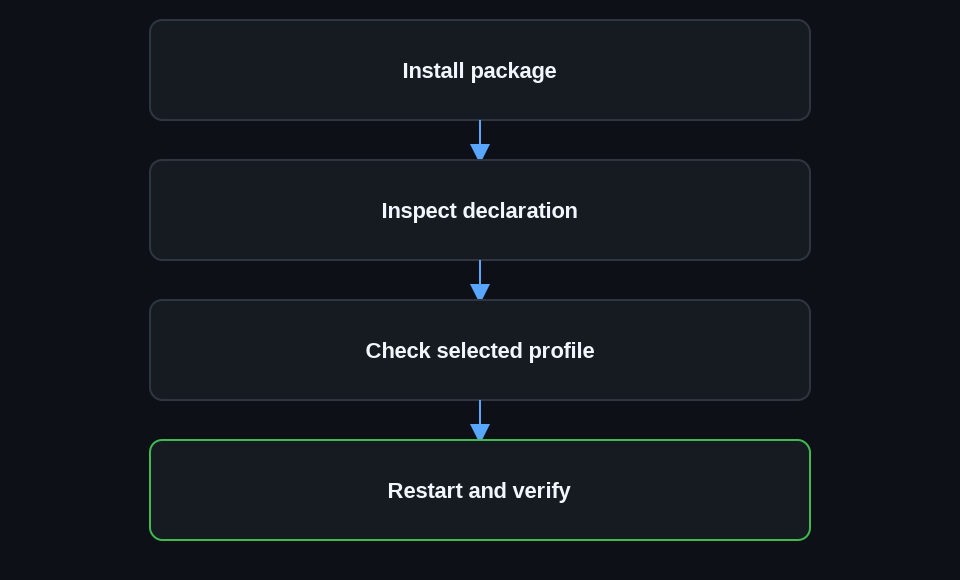
- Record the DSH version, package name and version, selected profile, installation source and warning. Keep the original output; a successful package-manager operation does not establish successful activation.
- Compare the package's installed manifest and artifact with the author's declaration. Check whether the declared patch exists in that artifact. If the package was intended as a plain dependency, do not invent a bundle declaration for it.
- Check the manifest of the profile being started. The CLI uses the profile directory under
$DSH_HOME/profiles/<name>. A different profile can have a different dependency and bundle list. - Compare the registry or source used by the failing installation with an equivalent known artifact. Record the exact version in both cases. Change registry configuration only when the evidence identifies a relevant difference and your environment permits it.
- Once the correct layer is selected, restart the profile and inspect startup diagnostics. Confirm the capability expected from that particular bundle; a list entry alone does not establish that every plugin started successfully.
For package management, place the profile option before forwarded package-manager arguments. For example, the CLI documents dsh plugin --profile <name> add <package>; substitute the actual profile and package. It forwards the operation to pnpm in the profile directory, so pnpm must be available on the path.
DeepSeek Harness: what does the registry report actually show?
In discussion #10796, a user reported that a package appeared to lack a declaration even though its source manifest contained one, while installation from GitHub worked. The user attributed their case to a scope mapping in their npm configuration pointing to GitHub Packages, whose metadata API did not expose the custom field, and reported resolving it by removing that mapping. This is a user account for one version and configuration, not a general rule about every registry or a universal fix.
The distinction matters because the current CLI reference describes reconciliation against installed state. A historical user report does not establish exactly how a different installed release performs its check. If the artifact, selected profile and warning disagree, retain those facts and ask the package maintainer or DSH maintainers rather than treating the report as a prescription.
What should an author verify before publishing?
A package author should examine the artifact consumers actually install. The packaging guide's example includes both the JavaScript entry and the patch in the files list. A correctly spelled declaration that points to a file excluded from the package is a different problem from a missing declaration. Compare the declared path with the artifact rather than copying a manifest fragment without checking its contents. The configuration layer may insert plugin rows, and a row can still have its own dependency or startup failure after selection.
The distinction also affects updates. The CLI describes reconciliation after every successful forwarded package operation, including an update that changes whether a dependency declares a bundle. A failed package-manager operation does not satisfy that condition. Save its output and resolve the package-manager failure first. For Git-hosted source packages, the CLI notes that pnpm 10 and later can require an explicit build allowance for prepare; a built tarball or local checkout has different documented behavior. Follow the actual package-manager hint rather than assuming every installation needs the same allowance.
A comparison is strongest when it holds package version and profile constant and changes only the source. If those conditions differ, the result may reflect a different artifact or composition. Record any change to source configuration and how to restore it, particularly when it affects other packages. Once the package is recognized, validate the intended feature after restart; that separates reconciliation from plugin activation and avoids attributing a later dependency failure to the earlier warning.
DeepSeek Harness: what are the limits and safety boundaries?
Installing a bundle introduces code and a configuration layer. Inspect its source, package identity and intended effects before installing it; inclusion in a list is not a security assessment. Registry credentials and private package locations may appear in logs or configuration, so remove sensitive information before sharing evidence. Do not reset a profile merely to make its list look right: the CLI's template-replacement operation can delete the custom profile's dependencies and patch.
A successful installation, a declared layer and a running capability are three separate observations. A parse, resolution, schema or plugin boot failure can still prevent startup. Preserve the original warning and investigate the specific failure, especially when multiple bundles contribute to the same composition.
DeepSeek Harness: what do the terms mean?
- Package: an installed dependency, which may or may not provide a DSH layer.
- Bundle: a package declaring a configuration patch through
dsh.bundle. - Profile: a named composition with its own bundle list and user patch.
- Reconciliation: updating the list to match recognized installed dependencies after a successful package operation.
- Patch: a layer that inserts or changes configuration rows.
Frequently asked questions
Does installation always add a bundle?
No. A dependency without a recognized bundle declaration stays a plain dependency.
Does a bundle list prove successful startup?
No. Composition and plugin activation can still fail.
Is the registry report a universal fix?
No. It describes one user’s configuration and version.
Sources
Every claim in this article was checked against the sources below. Community discussions are user reports, not official behavior.
This is an independent community article, not official DeepSeek documentation. Listing a plugin in the registry is not a security review.