DeepSeek Harness: Find Tool Parameters and Purposes
Use the generated Tool Schema Catalog to find a shipped tool's purpose, parameter names, types, and required fields; then check the deployment and scope before assuming that exact schema is available to your agent.
DeepSeek Harness: where is the tool reference?
Open the Tool Schema Catalog. Its package map connects model-visible names to their plugin packages, required services, affected events, aliases, and deployment notes. Below the map, each package section contains the tool description and its JSON Schema. Search for a tool name such as read, or start with a package if you know which capability provides it.
The page is generated by booting shipped tool plugins and reading their registered schemas. This matters because names, descriptions, and schemas can depend on configuration. The catalog normally uses default configuration; where a required configuration field has no default, its package note records the generator's choice. Demo tools under examples/ are excluded. Treat the page as a reference for a particular documented build, not an inventory of every running installation.
DeepSeek Harness: how do I read an entry?
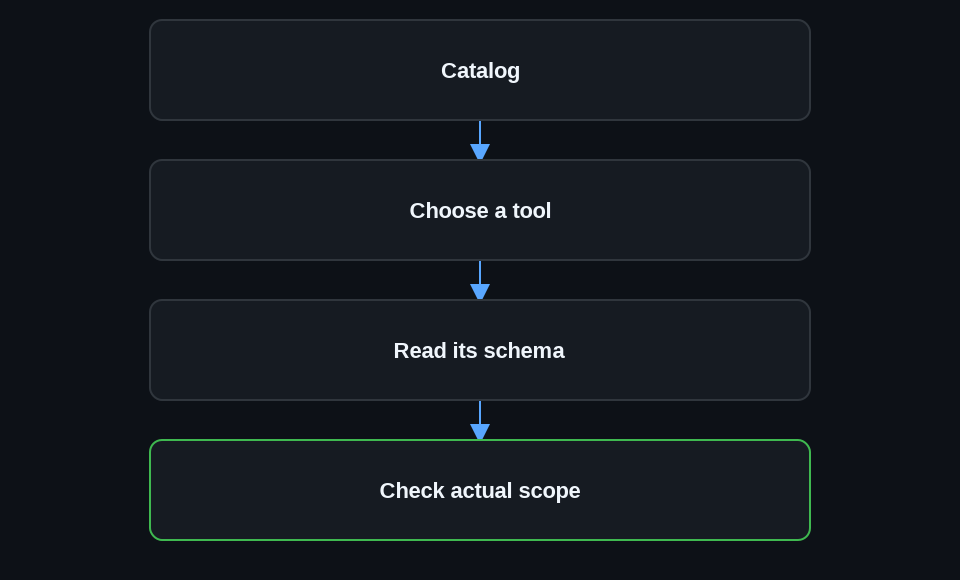
- Find the model-visible name in the package map. Read the package and deployment note before jumping to its detailed section.
- Read the description for the operation's purpose, path interpretation, and result behavior. The schema alone may not explain these details.
- Inspect
properties: each property has a name and type, and often a description. Check the top-levelrequiredarray separately. A property appearing inpropertiesis not automatically required. - Look for conditional requirements in the description and nested schemas; an operation can have different arguments for different choices.
- Compare the entry with the active deployment and agent scope. If the tool is missing or behaves differently, investigate composition and runtime policy using the tools subsystem.
For example, the catalog's read entry describes a UTF-8 text reader that returns numbered lines. file_path is a required string; offset and limit are optional numbers. The descriptions say the first line is one-based, offset defaults to 1, and limit defaults to 2000. A reader can therefore distinguish the required file from optional paging without guessing from a tool's name.
| Catalog item | Example | How to interpret it |
|---|---|---|
| Name and description | read | Identify the operation and its result |
| Property | file_path, string | Name and type of one argument |
| Required array | file_path | This argument must be supplied |
| Optional property | offset, number | Check its description for units and default |
| Package note | Required services or configured choice | Explains why another deployment can differ |
DeepSeek Harness: what about similar tools?
The map identifies glob and grep as separate tools. glob takes a required pattern for file paths and an optional path; grep takes a required regular-expression pattern, an optional path, and an optional single glob include. The descriptions explain that a glob without a slash matches a basename at any depth, while the grep pattern uses ripgrep syntax. The matching words in their argument names do not make the patterns interchangeable.
The catalog also contains two shipped implementations named bash. The one-shot @deepseek-ai/dsh-tool-bash entry requires description and command, while the persistent @deepseek-ai/dsh-tool-bash-persistent entry requires command and preserves shell state. Read the package heading, not only the tool name. For the one-shot tool, the catalog says the background parameter may be absent when the job registry is not composed or background execution is disabled. See the Bash guide for execution details.
DeepSeek Harness: how does a schema become a call?
The tools reference separates the model-facing schema from the registered definition. The registry projects model-facing fields such as name, description, and parameters; execution, output handling, scheduling, and presentation metadata remain host-side. First-party defineTool validates and narrows arguments. An argument mismatch can take the normal error path as INVALID_ARGS; it is not a successful call with ignored input.
That distinction is useful when diagnosing a failure. First check the spelling, type, required fields, and any constraints for the exact tool offered in that context. Then inspect the actual result: schema-valid input can still be denied by policy or fail in the implementation. A catalog entry cannot show whether a particular invocation is authorized or whether a required backend is operational.
Reading an example without executing it
A schema example describes the shape of a tool call; it is not an instruction to run that call in a terminal. In read, an offset of 1 refers to the first line, and limit bounds the returned lines. Use the documented defaults to understand what omission means. If you need a later section of a long file, the optional fields allow a narrower request. The path is resolved by the filesystem backend, so confirm the backend and target rather than assuming the path means the same thing in every environment. For grep, include accepts one glob rather than a list and does not support negation. This constraint is in the description, not obvious from the string type alone.
For another comparison, glob returns files rather than directories. Its documented result cap and sampling behavior come from the generator's selected configuration, while the package note tells deployments to make that choice explicitly. The generated description and the deployment note should therefore be read together.
DeepSeek Harness: what are the limits and safety boundaries?
A generated catalog is not an authorization grant or security review. A plugin may be disabled, absent, scoped differently, or registered with a different name or configuration. The registry supports scope restrictions and the execution pipeline has policy stages; the documentation does not promise a single universal list for every agent. Inspect actual tool availability in the relevant session and compare it with the catalog's package notes. Available agent tools explains that distinction.
Descriptions are also operational instructions, not proof that a proposed action is appropriate. Review paths and effects before allowing a call, especially for edits, commands, and external access. A tool's output can contain private data. Do not infer that a listed tool, a valid schema, or a successful call makes the operation safe.
DeepSeek Harness: what do the terms mean?
- Tool schema: model-facing name, description, and JSON Schema for arguments.
- Property: an argument described inside
properties; its presence there does not make it required. - Required array: schema list of fields that must be supplied for that object.
- Registry: the service holding tool definitions and dispatching accepted calls.
- Scope: the context determining which inherited and locally registered tools an agent can see.
Frequently asked questions
Where are parameters listed?
The generated Tool Schema Catalog provides descriptions and JSON Schema for shipped tool plugins.
Does a listed field have to be supplied?
Check the required array; properties are not automatically required.
Does the catalog guarantee availability?
No. Composition, configuration, and scope affect the actual agent view.
Sources
Every claim in this article was checked against the sources below. Community discussions are user reports, not official behavior.
This is an independent community article, not official DeepSeek documentation. Listing a plugin in the registry is not a security review.